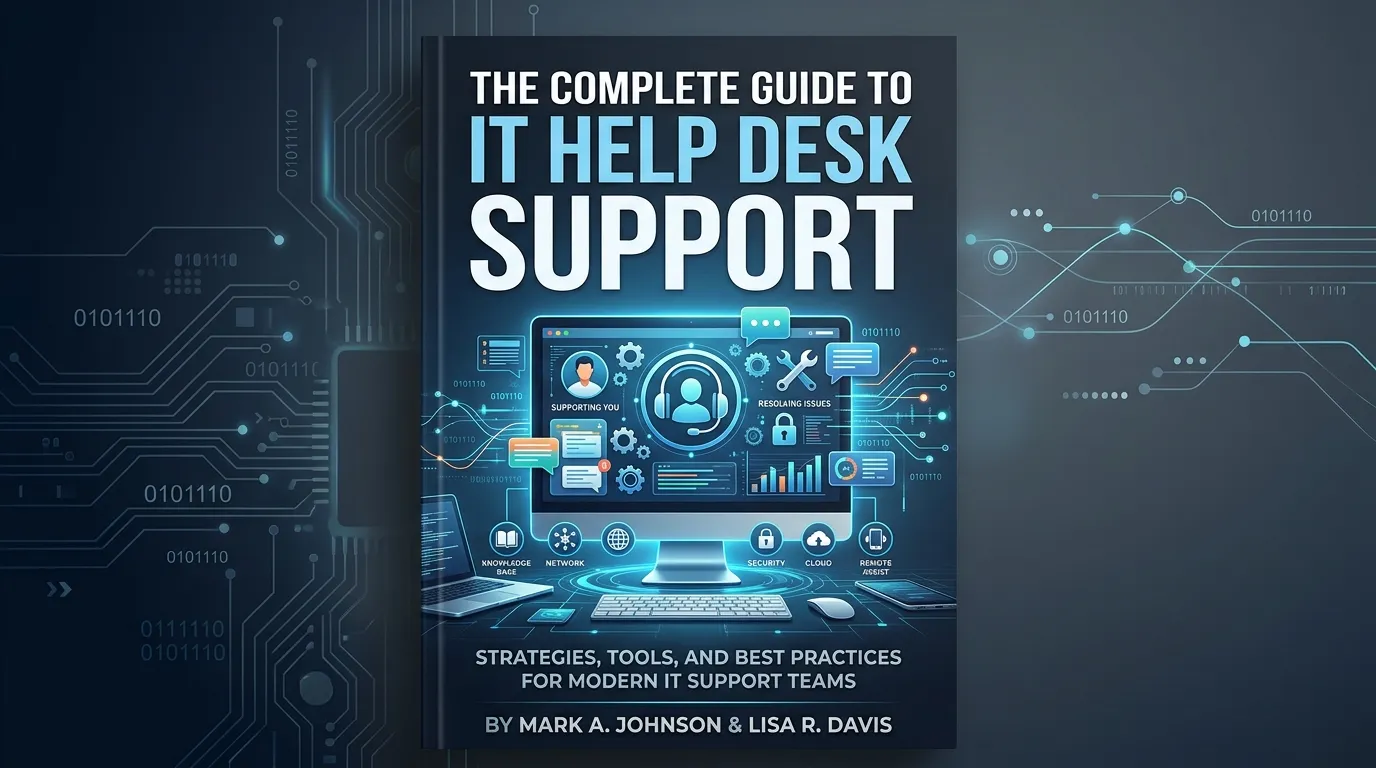
IT help desk support is a centralized function that resolves technical issues, manages service requests, and keeps business operations running smoothly. Modern help desks combine ticketing systems, remote assistance tools, and IT service management (ITSM) frameworks to deliver fast, reliable support at scale.
Every minute of downtime costs money. For mid-sized businesses, unplanned IT outages can cost anywhere from $10,000 to over $50,000 per hour, according to Gartner. Yet many organizations still treat help desk support as an afterthought—a reactive function staffed by whoever happens to know the most about computers.
That mindset is changing fast. As remote work becomes permanent and IT environments grow more complex, structured help desk support has become a strategic priority. The right setup doesn’t just fix broken laptops. It protects productivity, reduces operational risk, and directly impacts customer satisfaction.
This guide covers everything you need to know about modern IT help desk services—from how ticketing systems work to which help desk software tools are worth your attention. Whether you’re building a support function from scratch or looking to upgrade what you already have, you’ll find practical, actionable guidance here.
What Is IT Help Desk Support?
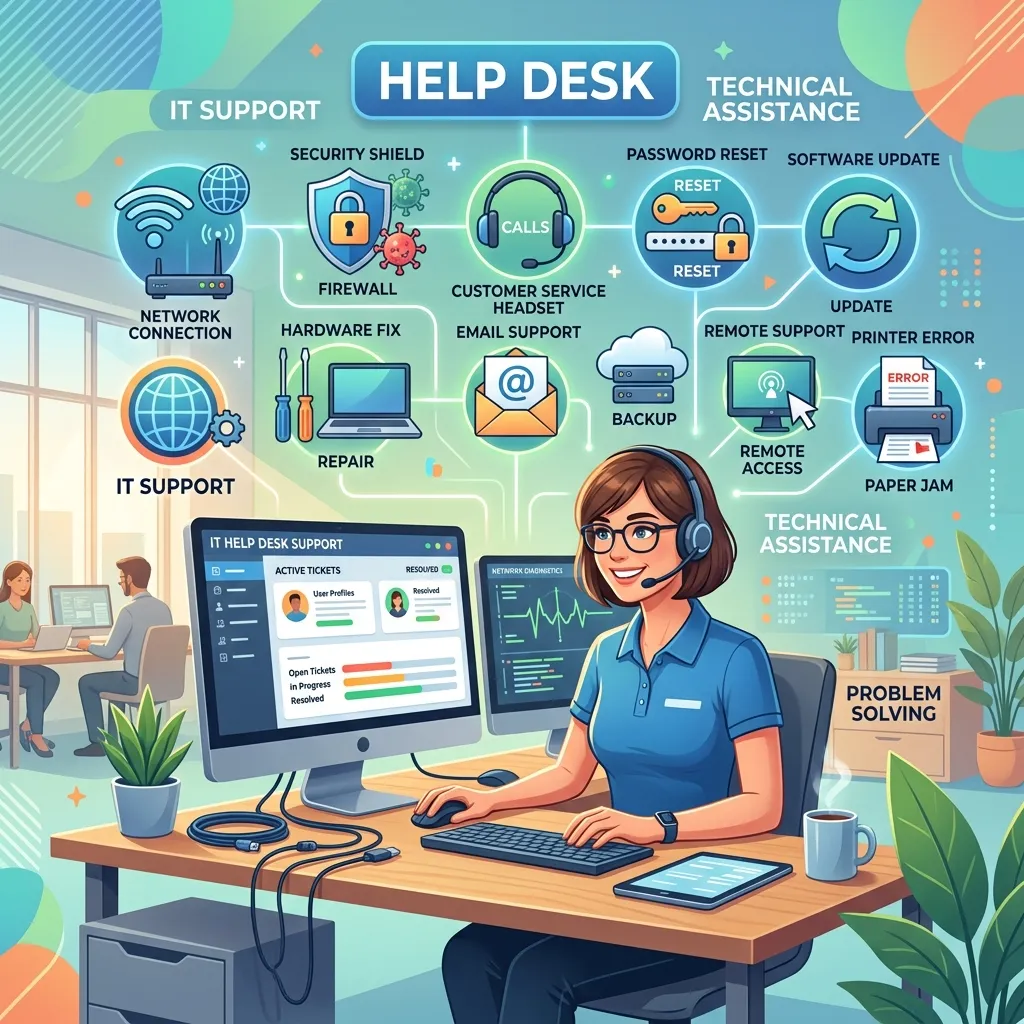
IT help desk support is a dedicated service function that handles technical issue resolution for employees, customers, or both. It serves as the first point of contact when something goes wrong—a software crash, a login failure, a network outage, or a hardware malfunction.
Most help desks operate across three tiers:
- Tier 1 handles basic requests and common issues using scripts and knowledge bases. Password resets, software installations, and connectivity problems typically fall here.
- Tier 2 covers more complex issues requiring deeper technical expertise, such as server configurations or application errors.
- Tier 3 involves specialized engineers or vendors who address root-cause problems and infrastructure-level failures.
This tiered model keeps resolution times low by routing tickets to the right person immediately, rather than letting every issue queue up behind the same generalist.
Why IT Help Desk Services Are Business-Critical
Help desks are often framed as cost centers. That framing misses the point. A well-run IT help desk service directly influences how fast your teams work, how secure your systems are, and how satisfied your customers feel.
Consider the downstream effects of poor technical support. An employee stuck waiting two hours for a password reset loses two hours of productive work. A customer-facing bug that goes unresolved for days erodes trust and drives churn. A security incident that isn’t flagged through proper IT support ticketing channels can escalate into a full-scale breach.
On the flip side, organizations with mature IT service management practices see measurable gains. According to HDI’s Technical Support Practices & Salary Report, companies with formal ITSM frameworks resolve incidents 30% faster than those without.
How IT Support Ticketing Systems Work
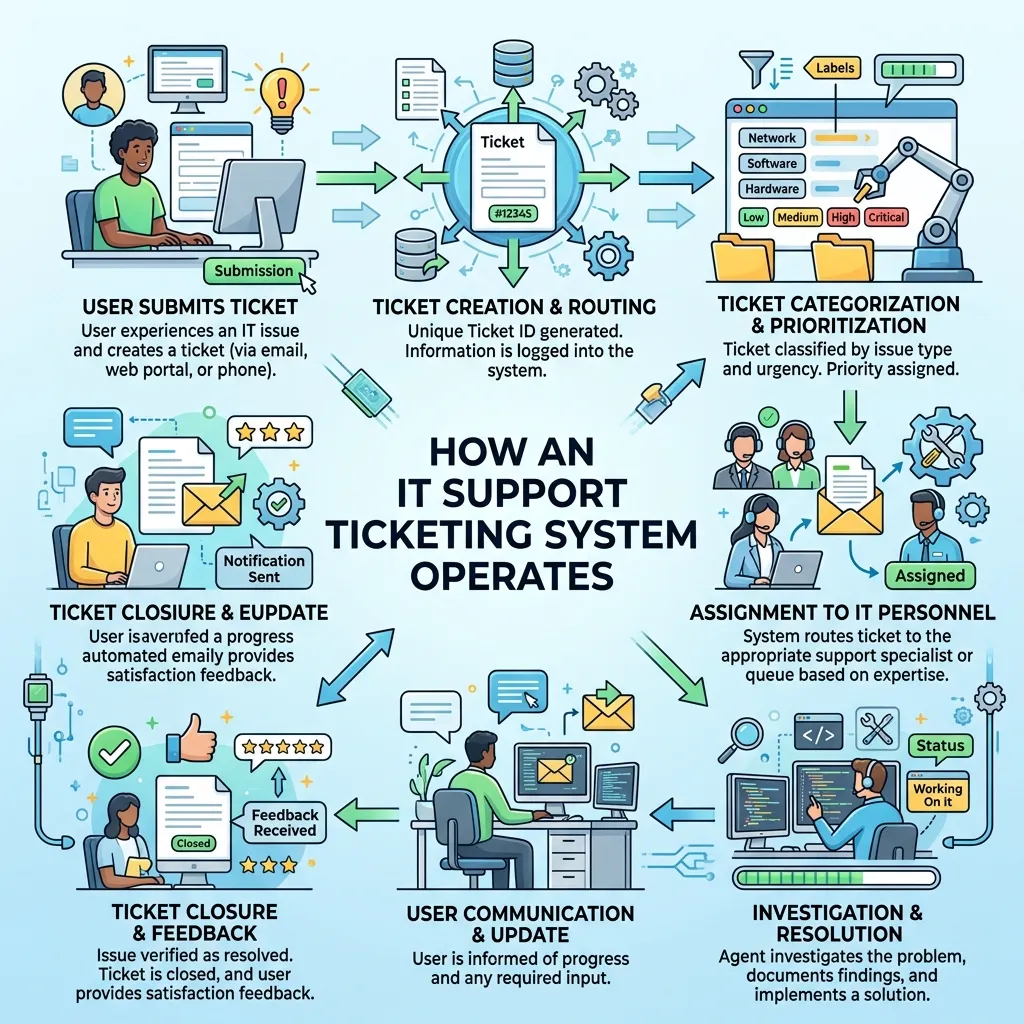
An IT support ticketing system is the operational backbone of any help desk. When a user reports an issue—via email, chat, phone, or a self-service portal—the system automatically generates a ticket. That ticket is assigned a priority level, routed to the right team or technician, and tracked until resolution.
What makes a good ticketing system?
The best IT support ticketing systems share a few key characteristics:
- Automated routing: Tickets are assigned based on issue type, urgency, or team availability—no manual sorting required.
- SLA tracking: Service level agreements define how quickly different ticket types must be resolved. A good system flags breaches before they happen.
- Knowledge base integration: Technicians can pull from a library of documented solutions, reducing resolution time for recurring issues.
- Reporting and analytics: Managers can track ticket volume, average resolution time, first-contact resolution rates, and technician performance.
Popular platforms like Zendesk, Jira Service Management, and ServiceNow all offer robust ticketing functionality. The right choice depends on your team size, budget, and the complexity of your IT environment.
Remote Technical Assistance: Supporting Distributed Teams
Remote work has fundamentally changed how IT support operates. When your workforce is spread across time zones, you can’t send a technician to someone’s desk. Remote technical assistance tools fill that gap.
Remote desktop software—such as TeamViewer, AnyDesk, or Microsoft Remote Assistance—allows support technicians to access a user’s machine directly, diagnose problems in real time, and apply fixes without the user needing any technical knowledge. This dramatically reduces resolution times compared to phone-based troubleshooting.
What should remote technical assistance include?
Effective remote technical assistance programs typically cover:
- Screen sharing and remote control for direct diagnosis and repair
- Session recording for compliance and quality assurance
- Multi-platform support across Windows, macOS, iOS, and Android
- Secure encrypted connections to protect sensitive data during sessions
- Unattended access for after-hours maintenance on servers and endpoints
Organizations with fully remote or hybrid workforces should treat remote technical assistance as a core capability, not an add-on.
Customer Support Management and the Help Desk

IT help desk support and customer service support often operate in separate silos. For product companies—especially SaaS businesses—that separation creates friction. Customers encountering technical issues expect the same speed and clarity they’d get from any other support channel.
Customer support management tools bridge this gap by combining IT service capabilities with customer-facing features like live chat, automated responses, and customer satisfaction (CSAT) surveys.
Platforms like Freshdesk and Zoho Desk are designed specifically for this hybrid use case. They allow support teams to manage both internal IT tickets and external customer inquiries from a single dashboard, with visibility across all open cases.
What customer service support tools should you prioritize?
When evaluating customer service support tools for a technical context, look for:
- Omnichannel support: Handle tickets from email, chat, phone, and social media in one place
- Automated escalation: Flag high-priority tickets for immediate human review
- Customer-facing self-service portals: Let users submit and track their own tickets
- Integration with CRM systems: Connect support history with customer records for context-rich conversations
- AI-assisted response suggestions: Surface relevant knowledge base articles to agents mid-conversation
IT Service Management (ITSM): The Strategic Framework Behind the Help Desk
IT service management (ITSM) is the broader framework that governs how IT services are delivered, managed, and improved. The help desk is one component of ITSM—but ITSM also encompasses change management, asset management, incident management, and problem management.
The most widely adopted ITSM framework is ITIL (Information Technology Infrastructure Library), now in its fourth version. ITIL 4 emphasizes a service value system that aligns IT operations with business outcomes, rather than treating IT as a purely technical function.
How does ITSM improve help desk performance?
Implementing ITSM best practices produces measurable improvements across help desk metrics:
- Incident management processes reduce mean time to resolution (MTTR) by establishing clear escalation paths
- Problem management identifies root causes of recurring issues, preventing future tickets before they’re raised
- Change management ensures that system updates and deployments don’t introduce new issues
- Asset management gives technicians instant visibility into hardware and software configurations, speeding up diagnosis
For organizations looking to mature their IT support function, adopting an ITSM framework is one of the highest-leverage investments available.
Choosing the Right Help Desk Software
The help desk software market is crowded. Here’s a practical breakdown of the leading platforms and who they’re best suited for:
|
Platform |
Best For |
Key Strength |
|---|---|---|
|
Zendesk |
Mid-to-large enterprises |
Omnichannel support + robust analytics |
|
Jira Service Management |
Development-focused teams |
Deep integration with software workflows |
|
ServiceNow |
Large enterprises |
Full ITSM suite + automation |
|
Freshdesk |
SMBs and growing teams |
Easy setup + affordable pricing |
|
Zoho Desk |
SMBs with CRM needs |
Native Zoho CRM integration |
|
HappyFox |
Teams needing simplicity |
Clean UI + strong SLA management |
Choose Jira Service Management if your IT team works closely with software developers and needs tight integration with development pipelines.
Choose ServiceNow if you’re a large enterprise that needs a fully integrated ITSM platform with advanced automation capabilities.
Choose Freshdesk if you’re a growing business that needs a capable, cost-effective solution without a lengthy implementation process.
Technical Issue Resolution: Best Practices That Actually Work

Having the right tools matters. But the processes you build around those tools matter just as much. Here are the practices that consistently separate high-performing help desks from the rest.
Document everything. Every resolved ticket is a knowledge asset. Build a habit of documenting solutions in a searchable knowledge base so Tier 1 agents can handle recurring issues without escalation.
Set realistic SLAs and stick to them. Overpromising resolution times destroys user trust. Set SLA targets based on actual capacity, then track and improve from there.
Use data to prioritize improvement. Monthly reviews of ticket volume by category, resolution time by tier, and first-contact resolution rate will surface patterns that inform where to invest next.
Invest in self-service. A well-maintained self-service portal—with clear guides, FAQs, and automated password reset functionality—can deflect 20–30% of inbound tickets, according to Forrester Research.
Train continuously. Technology changes faster than any static training program can keep up with. Build ongoing learning into your support team’s routine.
The Future of Help Desk Support
Artificial intelligence is reshaping technical support faster than most organizations have anticipated. AI-powered chatbots now handle Tier 1 queries at scale, routing only the genuinely complex issues to human agents. Natural language processing allows these systems to understand user intent, not just keywords.
Predictive analytics is another frontier. By analyzing patterns in ticket data, ITSM platforms can identify systems likely to fail before they do—turning reactive support into proactive intervention.
For organizations still running manual, ad hoc support processes, the gap between them and AI-augmented competitors will widen significantly over the next three to five years.
Building a Help Desk That Actually Helps
IT help desk support is no longer a back-office function. It’s a direct driver of productivity, security, and user satisfaction. Organizations that invest in the right combination of ticketing systems, ITSM frameworks, remote technical assistance tools, and help desk software will consistently outperform those that don’t.
The path forward is clear: audit your current support function, identify the biggest gaps, and prioritize the improvements with the highest impact. Start with your ticketing system if you don’t have one. Layer in ITSM practices once your processes are documented. And build toward AI-assisted support as your team scales.
Frequently Asked Questions
What is the difference between a help desk and a service desk?
A help desk primarily focuses on reactive support—resolving incidents and technical issues as they arise. A service desk is a broader function aligned with ITSM principles. It handles not only incidents but also service requests, change management, and user communication. The service desk is essentially an evolved version of the traditional help desk.
What are the most important metrics for IT help desk performance?
The most widely tracked help desk metrics include: first-contact resolution (FCR) rate, mean time to resolution (MTTR), ticket volume by category, SLA compliance rate, and customer satisfaction (CSAT) score. First-contact resolution rate is often the single best indicator of overall help desk health.
How does an IT support ticketing system improve efficiency?
An IT support ticketing system improves efficiency by automating ticket routing, tracking SLA deadlines, centralizing communication, and providing visibility into workload distribution. Without a ticketing system, support teams rely on email and verbal communication—both of which are difficult to track, prioritize, or measure.
What is remote technical assistance and when should it be used?
Remote technical assistance refers to the ability for support technicians to access, diagnose, and repair a user’s device from a different location using remote desktop software. It should be used whenever a user encounters a technical issue that cannot be resolved through self-service, and where physical access to the device isn’t possible or practical.
Which help desk software is best for small businesses?
Freshdesk and Zoho Desk are generally the strongest options for small businesses. Both offer affordable entry-level plans, intuitive interfaces, and sufficient functionality to manage ticketing, SLAs, and basic reporting without requiring dedicated IT staff to configure and maintain the platform.
How does ITSM relate to IT help desk support?
IT service management (ITSM) is the overarching framework that defines how IT services—including help desk support—are delivered and governed. The help desk is one operational component within an ITSM model. Adopting ITSM best practices, such as those defined in ITIL 4, gives help desk teams clearer processes, better escalation paths, and a stronger link between technical support and business outcomes.
What is IT help desk support?
IT help desk support is a service function that helps users resolve technical issues, manage IT requests, and maintain smooth day-to-day business operations.
How does IT help desk support work?
It works by receiving user issues through tickets, emails, or calls, then assigning them to IT staff who diagnose and resolve the problem based on priority.
What tools are used in IT help desk support?
Common tools include ticketing systems, remote desktop software, ITSM platforms, knowledge bases, and automation tools.
What is the purpose of IT help desk support?
The main purpose is to quickly resolve IT problems, minimize downtime, and ensure employees or customers can continue working without disruption.
What is a help desk ticketing system?
A ticketing system logs, tracks, and manages all support requests, ensuring issues are assigned, prioritized, and resolved efficiently.
How does IT help desk support improve productivity?
It reduces downtime by resolving issues quickly, automating repetitive tasks, and providing users with fast access to technical assistance.
What is the difference between help desk support and ITSM?
IT help desk support focuses on solving immediate technical issues, while ITSM (IT Service Management) is a broader framework that manages all IT services and processes.
Can IT help desk support be outsourced?
Yes, many companies outsource IT help desk support to managed service providers to reduce costs and access specialized expertise.
What skills are needed for IT help desk support?
Key skills include technical troubleshooting, communication, problem-solving, knowledge of operating systems, and familiarity with IT tools.
Why is IT help desk support important for businesses?
IT help desk support is essential because it keeps systems running smoothly, reduces downtime, improves employee efficiency, and enhances overall business performance.