

Cloud support services help businesses manage, secure, and optimize their cloud environments through expert assistance in infrastructure management, migration, monitoring, and security. By outsourcing these tasks, companies reduce downtime, control costs, and improve performance while allowing internal teams to focus on core business growth.
Cloud support services help businesses manage, secure, and optimize their cloud environments. They cover everything from infrastructure management and migration to 24/7 monitoring and security. By outsourcing these tasks to experts, companies cut downtime, reduce costs, and free up internal teams to focus on growth instead of maintenance.
Running a business on the cloud sounds simple—until something breaks at 2 a.m. and nobody knows how to fix it. As companies move more of their operations to platforms like AWS and Azure, the need for reliable cloud support has never been greater. Misconfigured servers, security gaps, and surprise bills can quietly drain time and money.
That’s where cloud support services come in. These services give you access to specialists who keep your systems running smoothly, secure your data, and help you make smart decisions about your cloud setup. Whether you’re a small startup or a large enterprise, the right support can mean the difference between a clunky cloud experience and one that actually drives results.
In this guide, we’ll break down the main types of cloud support services, explain what each one does, and help you figure out which options fit your needs. By the end, you’ll have a clear picture of how to keep your cloud environment healthy, secure, and cost-effective.
What are managed cloud services?
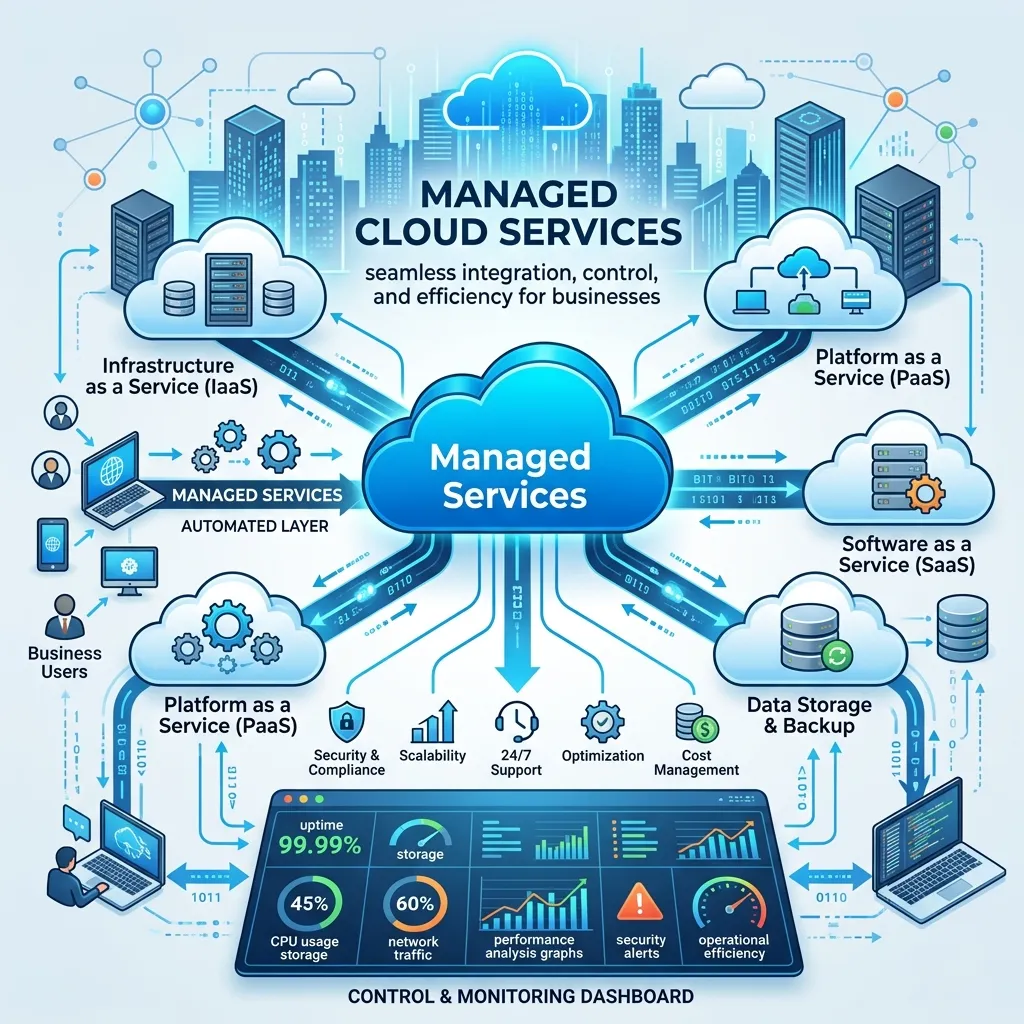
Managed cloud services involve handing over the day-to-day management of your cloud environment to a third-party provider. Instead of hiring and training an in-house team for every cloud-related task, you partner with experts who handle the heavy lifting.
A managed cloud provider can take care of provisioning, configuration, optimization, and ongoing support. This model works especially well for businesses that want enterprise-grade expertise without the cost of building a full internal team.
Choose managed cloud services if your internal IT staff is stretched thin, or if you lack deep cloud expertise in-house. Larger organizations often use them to supplement existing teams, while smaller companies rely on them as their entire cloud department.
How does cloud infrastructure management work?
Cloud infrastructure management is the practice of overseeing the core building blocks of your cloud environment—servers, storage, networks, and virtual machines. The goal is to keep these resources running efficiently and scaling smoothly as your needs change.
Good infrastructure management includes a few key tasks:
- Resource allocation: Making sure you have enough computing power without paying for capacity you don’t use.
- Performance tuning: Adjusting settings to keep applications fast and responsive.
- Cost optimization: Identifying waste and right-sizing your resources to control spending.
- Automation: Using scripts and tools to handle repetitive tasks and reduce human error.
Strong infrastructure management keeps your systems reliable while preventing the budget creep that catches so many cloud users off guard.
What are cloud migration services?
Cloud migration services help businesses move their applications, data, and workloads from on-premises systems—or from one cloud—to a new cloud environment. Migration sounds straightforward, but it’s often where projects stall or fail without proper planning.
A solid migration process usually follows these stages:
- Assessment: Reviewing your current systems to decide what to move and how.
- Planning: Mapping out the migration to minimize downtime and risk.
- Execution: Transferring data and applications, often in phases.
- Validation: Testing everything to confirm it works as expected.
- Optimization: Fine-tuning the new environment for performance and cost.
Migration experts help you avoid common pitfalls like data loss, extended downtime, and ballooning costs. Choose professional migration services if you’re moving critical workloads or large amounts of data, where mistakes carry a high price.
What does cloud computing support cover?
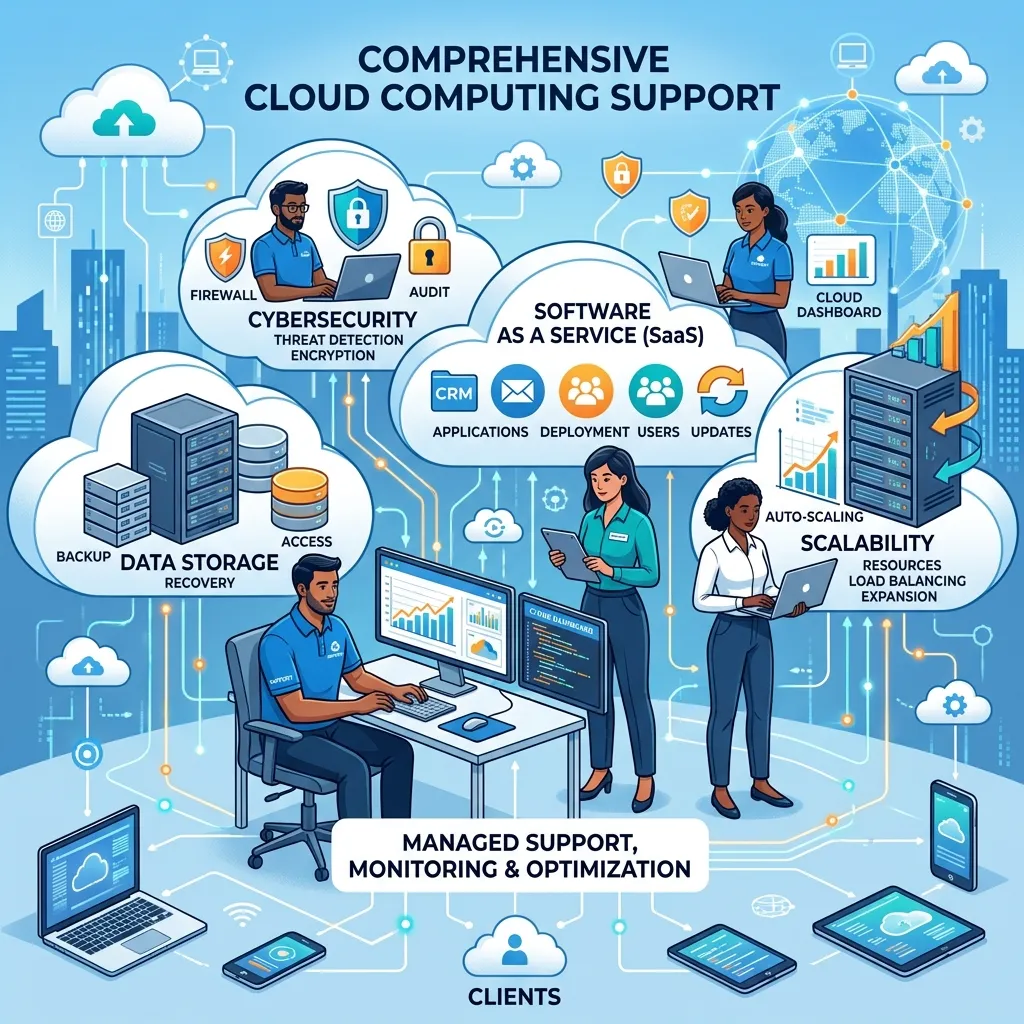
Cloud computing support is the broad category of help that keeps your cloud systems functioning day to day. It includes troubleshooting, technical assistance, and guidance on best practices.
Support can be reactive—fixing problems as they arise—or proactive, catching issues before they affect your operations. Many providers offer tiered support, with different response times and service levels depending on your plan.
This kind of support matters most when downtime directly hits your revenue. An e-commerce store, for example, can’t afford to have its checkout system go dark during a sale.
Why is multi-cloud management important?
Multi-cloud management is the practice of running and coordinating services across more than one cloud provider, such as using AWS and Azure together. Many businesses adopt a multi-cloud approach to avoid being locked into a single vendor and to pick the best tools from each platform.
Managing multiple clouds adds complexity, though. Each platform has its own dashboards, pricing models, and security settings. Without a unified strategy, costs and risks can spiral.
Effective multi-cloud management brings these environments under a single, coordinated approach. It gives you a clear view of spending, performance, and security across all your providers. Consider multi-cloud management if you already use—or plan to use—more than one cloud platform and want to keep them working in harmony.
How do cloud security services protect your business?
Cloud security services protect your data, applications, and infrastructure from threats like breaches, unauthorized access, and data leaks. As more sensitive information moves to the cloud, security has become a top priority for businesses of every size.
These services typically include:
- Access management: Controlling who can see and change your data.
- Encryption: Scrambling data so it stays safe in transit and at rest.
- Threat detection: Spotting suspicious activity before it becomes a breach.
- Compliance support: Helping you meet regulations like GDPR, HIPAA, or PCI DSS.
A strong security setup does more than block attacks. It builds trust with customers and helps you avoid the heavy fines that come with compliance failures. If you handle sensitive customer data or operate in a regulated industry, robust cloud security isn’t optional.
What is cloud monitoring and maintenance?
Cloud monitoring and maintenance involves continuously watching your cloud environment for performance issues, security threats, and potential failures. Maintenance covers the routine tasks—updates, patches, and tune-ups—that keep everything running well.
Monitoring tools track metrics like uptime, response time, and resource usage. When something goes wrong, alerts let teams respond quickly, often before users even notice a problem.
Regular maintenance prevents small issues from snowballing into major outages. Think of it like servicing a car: a little attention now saves you from a breakdown later.
What does AWS cloud support include?
AWS cloud support focuses on helping businesses get the most out of Amazon Web Services, the world’s largest cloud platform. Because AWS offers hundreds of services, expert support can save a lot of trial and error.
AWS support typically covers:
- Setting up and configuring AWS services like EC2, S3, and RDS.
- Optimizing costs with tools like Reserved Instances and Savings Plans.
- Improving performance and reliability with best-practice architectures.
- Troubleshooting issues across your AWS environment.
Specialized AWS support is worth it if AWS is central to your operations and you want to avoid overpaying or underusing its many features.
What do Azure cloud support services offer?
Azure cloud support services help businesses run workloads on Microsoft Azure, a popular choice for companies already invested in Microsoft products. Azure integrates tightly with tools like Microsoft 365 and Windows Server, which makes it a natural fit for many enterprises.
Azure support usually includes:
- Deploying and managing Azure virtual machines, databases, and apps.
- Connecting on-premises systems to Azure for hybrid setups.
- Managing identity and access through Azure Active Directory.
- Controlling costs and improving performance across Azure services.
Choose dedicated Azure support if your business relies heavily on Microsoft software and wants a cloud platform that plays well with your existing tools.
Why do businesses need 24/7 cloud support solutions?

24/7 cloud support solutions give you access to technical help around the clock, every day of the year. Cloud systems don’t keep office hours, and neither do the problems that affect them.
Round-the-clock support means a real person—or an automated system—is ready to respond whenever an issue strikes. For global businesses serving customers in different time zones, this coverage is essential.
The biggest benefit is reduced downtime. When every minute of an outage can cost money and damage your reputation, fast response times pay for themselves. If your business runs critical operations on the cloud, 24/7 support is one of the smartest investments you can make.
Choosing the right cloud support for your business
Cloud support services aren’t one-size-fits-all. A small startup migrating its first app has very different needs from a large enterprise juggling AWS, Azure, and strict compliance rules. The key is to match the services to your situation.
Start by identifying your biggest pain points. Are you worried about security? Struggling with rising costs? Planning a major migration? Once you know where you need help, you can choose providers and service levels that fit.
As your business grows, your cloud needs will change too. Revisit your support setup regularly to make sure it still serves you well. With the right partners in place, your cloud environment can become a reliable engine for growth instead of a constant source of stress.
Frequently asked questions
How much do cloud support services cost?
Costs vary widely based on the services you need, the size of your environment, and your provider. Some offer flat monthly fees, while others charge based on usage or support tiers. Basic monitoring might cost a few hundred dollars a month, while full managed services for a large enterprise can run much higher. Always ask for a detailed breakdown before committing.
What’s the difference between managed cloud services and cloud support?
Managed cloud services involve a provider taking over the full management of your cloud environment, including day-to-day operations. Cloud support is narrower—it focuses on troubleshooting, technical help, and guidance when you need it. Many businesses use a mix of both, depending on how much they want to handle in-house.
How long does a cloud migration take?
Migration timelines depend on the size and complexity of your systems. A simple app might move in a few days, while migrating a large enterprise’s entire infrastructure can take several months. Proper planning and phased execution help keep timelines realistic and reduce the risk of downtime.
Is multi-cloud better than using a single cloud provider?
It depends on your goals. Multi-cloud avoids vendor lock-in and lets you choose the best tools from each platform, but it adds complexity and management overhead. Choose multi-cloud if flexibility and avoiding dependence on one vendor matter more than simplicity. Stick with a single provider if you value ease of management.
Can small businesses benefit from cloud support services?
Yes. Small businesses often benefit the most, since they rarely have the budget for a full in-house cloud team. Cloud support gives them access to expert help, better security, and reliable performance without the cost of hiring specialists directly.