

Online IT support services provide remote, cloud-based, and managed technical assistance to businesses of all sizes. These services include 24/7 help desk support, remote troubleshooting, and proactive maintenance, enabling organizations to reduce operational costs, minimize system downtime, and scale their IT infrastructure efficiently without hiring a full-time, in-house team.
Every organization relies heavily on digital infrastructure to operate, communicate, and deliver value to customers. When networks fail or software glitches occur, productivity grinds to a halt. Traditional in-house IT departments often struggle to keep up with the rapid pace of technological change, cybersecurity threats, and the demands of distributed workforces. This reality has driven a massive shift toward online IT support services, which offer a more flexible and scalable approach to managing technology.
By partnering with external experts, companies can access enterprise-grade technology management without the overhead of recruiting, training, and retaining specialized staff. Online IT support services encompass everything from routine software updates to complex cloud migrations and emergency incident response. This comprehensive approach ensures that business technology serves as a growth driver rather than a constant source of frustration.
Understanding the various components of digital tech support is critical for business leaders who want to optimize their operations. The right mix of remote assistance, proactive maintenance, and strategic guidance can transform a company’s technical environment. This guide breaks down the core elements of virtual IT management and explains how different service models address specific organizational needs.
What are remote IT support services and how do they work?
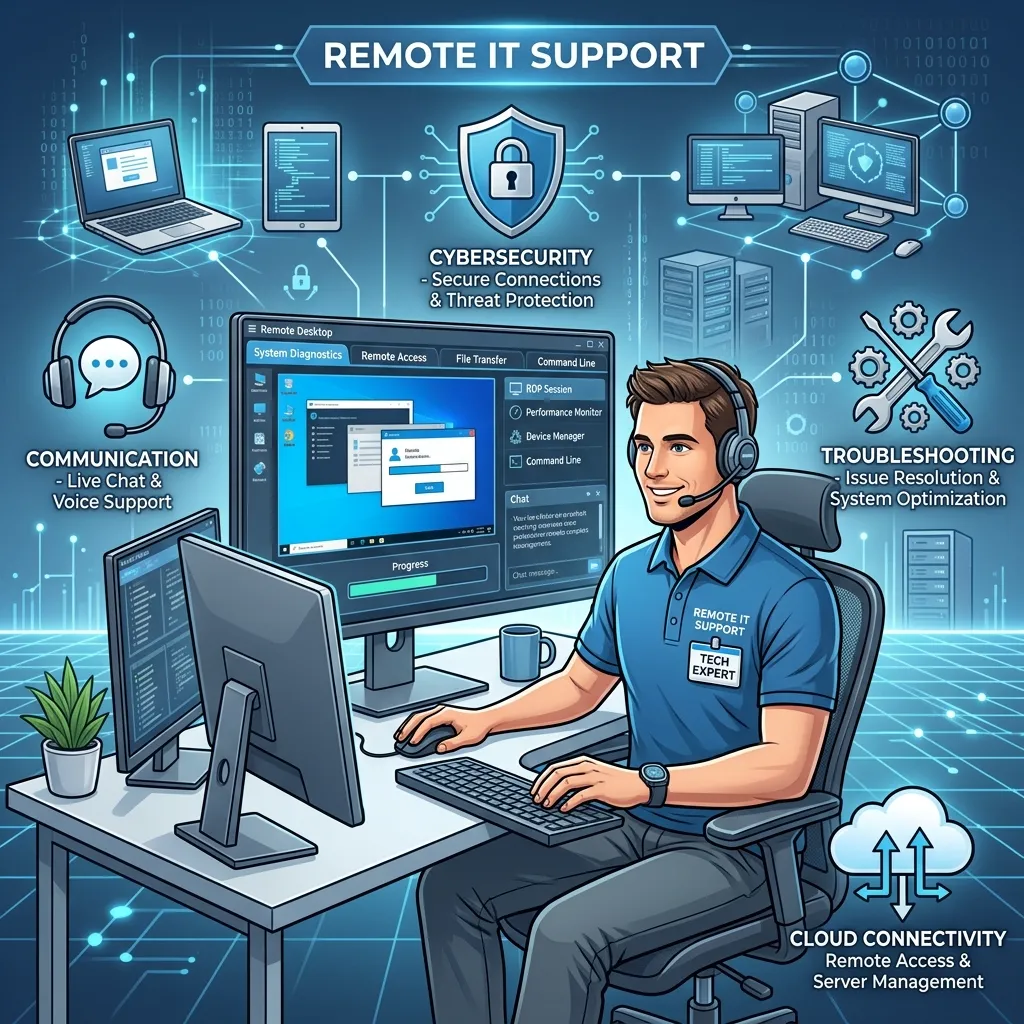
Remote IT support services allow technicians to diagnose and resolve computer and network issues without being physically present in your office. Utilizing secure remote monitoring and management (RMM) software, IT professionals can access employee devices, servers, and network infrastructure from anywhere in the world. This capability drastically reduces response times, as technicians can begin troubleshooting the moment an issue is reported.
These services typically handle a wide array of technical problems. Technicians can install software, configure email clients, remove malware, and optimize system performance remotely. Choose remote IT support services if your organization prioritizes rapid issue resolution and operates with a distributed or hybrid workforce. Because technicians eliminate travel time, businesses benefit from lower support costs and faster restoration of employee productivity.
Why do businesses need 24/7 online technical support?
Cybersecurity threats and system failures do not adhere to standard business hours. A server crash at two in the morning can completely disrupt operations by the time employees log in at eight. 24/7 online technical support provides continuous monitoring and immediate response capabilities, ensuring that critical systems remain functional around the clock.
Organizations that operate globally or serve customers across multiple time zones absolutely require this level of coverage. Around-the-clock support teams utilize automated alerts to detect anomalies before they escalate into major outages. If maintaining maximum uptime is critical to your revenue stream, investing in 24/7 technical assistance is a mandatory operational requirement.
What are the benefits of cloud-based IT support solutions?
Cloud-based IT support solutions focus on managing and securing assets hosted in environments like Amazon Web Services (AWS), Microsoft Azure, and Google Cloud Platform. As companies migrate their data and applications to the cloud, traditional hardware-focused IT strategies become obsolete. Cloud support specialists help businesses navigate the complexities of cloud architecture, ensuring optimal performance and cost efficiency.
These solutions provide continuous monitoring of cloud resources, access management, and automated data backups. IT providers use specialized tools to track cloud spend and identify underutilized resources, helping businesses optimize their monthly cloud expenditures. Choose cloud-based IT support solutions if your company relies heavily on Software-as-a-Service (SaaS) applications and requires highly scalable digital infrastructure.
How do managed IT support services online save companies money?
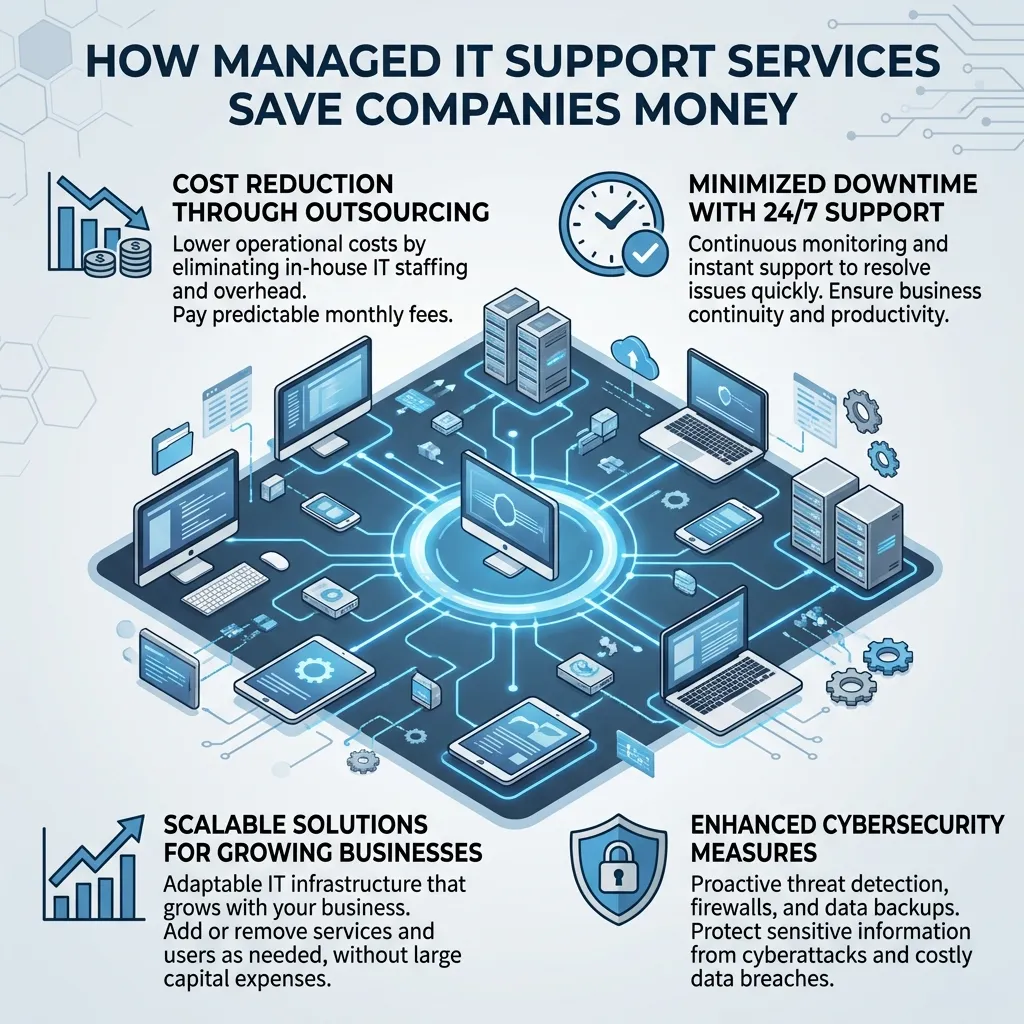
Managed IT support services online shift the technology management model from reactive to proactive. Instead of waiting for a system to break and paying a premium for emergency repairs, businesses pay a predictable monthly fee for continuous monitoring and maintenance. This model aligns the IT provider’s incentives with the client’s goals; the provider makes more money when the client’s systems run flawlessly.
By preventing major system failures, managed IT services eliminate the devastating financial impact of extended downtime. Furthermore, companies save on the substantial costs associated with hiring full-time IT staff, including salaries, benefits, and ongoing training. For businesses looking to stabilize their IT budgets and improve system reliability, managed services offer a highly cost-effective strategy.
What is a virtual IT help desk service?
A virtual IT help desk service acts as the single point of contact for all employee technical requests. When a worker forgets a password, struggles with a software application, or experiences hardware issues, they submit a ticket to the virtual help desk. Support agents then categorize, prioritize, and resolve these tickets based on predefined service level agreements (SLAs).
These help desks operate using advanced ticketing software that tracks the lifecycle of every request. This data allows IT providers to identify recurring issues and implement permanent, systemic fixes rather than repeatedly applying temporary patches. A well-organized virtual IT help desk service improves employee satisfaction by providing clear communication and rapid resolutions to daily technical frustrations.
Why are small business IT support services critical for growth?
Small businesses often lack the capital to build dedicated, in-house IT departments. However, they face the exact same cybersecurity threats and compliance requirements as large enterprises. Small business IT support services level the playing field by providing access to enterprise-grade security tools and strategic technology consulting at a fraction of the cost.
These tailored services help small companies implement scalable technologies that support rapid expansion. IT providers assist with selecting the right productivity software, securing customer data, and establishing robust backup protocols. Choose small business IT support services if you need to protect your growing company from data breaches while ensuring your technology infrastructure can handle increased operational demands.
How do online computer troubleshooting services fix issues remotely?
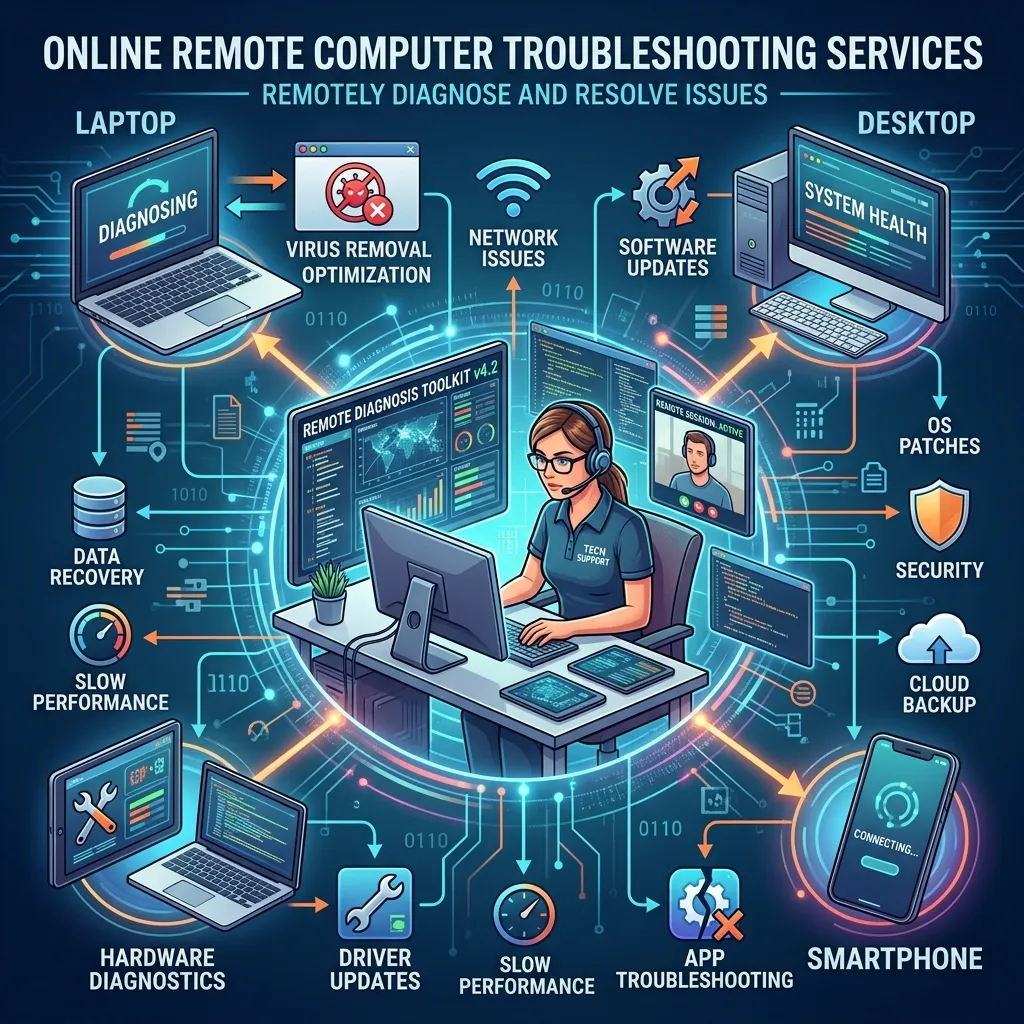
Online computer troubleshooting services rely on sophisticated diagnostic tools and secure screen-sharing applications. When an employee reports a problem, the technician requests permission to view and control the user’s desktop. This visual access allows the technician to observe the error firsthand, check system configurations, and apply necessary fixes exactly as if they were sitting at the desk.
Technicians also run background diagnostic scripts to identify underlying hardware or software conflicts without disrupting the user’s workflow. This approach resolves common issues like printer connectivity problems, slow application performance, and software synchronization errors quickly. Online computer troubleshooting services are the most efficient way to maintain day-to-day workforce productivity.
What should companies look for in remote tech support for businesses?
Selecting the right provider for remote tech support for businesses requires careful evaluation of their security practices, response times, and industry expertise. Organizations must ensure that the IT provider utilizes multi-factor authentication (MFA) and end-to-end encryption when accessing company networks. Providers should also offer legally binding service level agreements that guarantee specific response and resolution times.
Additionally, companies in regulated industries like healthcare or finance must verify that their IT provider understands specific compliance mandates, such as HIPAA or SOC 2. A competent tech support partner will conduct regular security audits and provide detailed reporting on system health. Prioritize providers who emphasize proactive strategy over reactive troubleshooting.
How do IT support and maintenance services online prevent downtime?
Downtime frequently results from outdated software, unpatched security vulnerabilities, and failing hardware components. IT support and maintenance services online utilize automated systems to deploy software updates and security patches across the entire organization simultaneously. This proactive patching closes security gaps before cybercriminals can exploit them.
Maintenance services also involve continuous monitoring of server health, storage capacity, and network traffic. By identifying a failing hard drive before it crashes completely, technicians can migrate data and replace the component with zero impact on the business. Routine maintenance is the foundation of a stable, reliable, and secure corporate technology environment.
When should you choose outsourced IT support solutions?
Outsourced IT support solutions make sense when a company’s internal resources are stretched too thin to handle daily tech operations and strategic projects simultaneously. Many organizations use a co-managed model, where an outsourced team handles routine help desk tickets and background maintenance, freeing up internal IT leaders to focus on digital transformation and proprietary software development.
Fully outsourcing IT is ideal for companies that view technology as a utility rather than a core competency. It allows executive teams to focus entirely on product development, sales, and customer service. Choose outsourced IT support solutions if technology management is distracting your leadership team from achieving primary business objectives.
How to Choose the Right IT Support Partner for Your Organization
Transitioning to online IT support services requires due diligence and clear communication of business objectives. Start by conducting a thorough audit of your current technology infrastructure to identify recurring pain points and security vulnerabilities. Use this audit to define exactly what you need from a managed service provider.
Request proposals from multiple vendors and evaluate them based on their communication skills, technical certifications, and track record with similar companies. Ask for client references and inquire specifically about how the provider handles major security incidents and after-hours emergencies. The right IT partner will act as a strategic advisor, helping you leverage technology to drive efficiency and competitive advantage for years to come.
Frequently Asked Questions
How much do online IT support services typically cost?
Costs vary widely depending on the number of users, the complexity of the network, and the level of service required. Managed IT services generally charge a flat monthly fee ranging from $100 to $300 per user. Break-fix remote support is often billed hourly, typically between $125 and $250 per hour.
How long does it take to transition to an outsourced IT provider?
The onboarding process usually takes between two and six weeks. This timeline includes deploying monitoring agents to all company devices, documenting the network architecture, and establishing help desk protocols for employees.
What are the security risks of remote IT support?
Granting external technicians remote access to your network introduces potential vulnerabilities. To mitigate these risks, ensure your IT provider enforces strict access controls, utilizes multi-factor authentication, and maintains comprehensive logs of all remote sessions for auditing purposes.
What are the alternatives to fully managed IT support?
If you do not want a fully managed service, you can utilize block-hour contracts where you pre-purchase a set number of support hours at a discounted rate. Alternatively, co-managed IT models allow you to keep an internal IT manager while outsourcing specific functions like after-hours support or cybersecurity monitoring.
Who is remote tech support best suited for?
Remote tech support is highly effective for professional services, technology firms, remote-first companies, and agencies where the majority of work is done on computers and cloud applications. It is less suitable for manufacturing or heavy industrial environments that require constant hands-on hardware maintenance.