
Remote Database Support Services provide businesses with expert database administration, monitoring, performance optimization, backup, and recovery without the need for an in-house DBA team. These services improve database security, maximize uptime, reduce operational costs, and ensure reliable performance for on-premises and cloud databases through 24/7 expert support.
Remote database support services provide organizations with on-demand access to expert database administrators (DBAs) who manage, monitor, optimize, and protect databases without being physically on-site. These services reduce costs, improve database performance, and ensure 24/7 uptime—making them a practical alternative to hiring full-time, in-house DBAs.
Your database is the backbone of your business. Every customer record, transaction, and operational process depends on it running smoothly. Yet managing a database—especially at scale—requires specialized expertise that many organizations simply don’t have in-house.
That’s where remote database support services come in. Rather than building and maintaining a costly internal DBA team, businesses are increasingly turning to managed database support providers who deliver enterprise-grade expertise on demand. Whether you need SQL database support services, cloud database management, or round-the-clock monitoring, remote DBA services offer a flexible, cost-effective path to keeping your data infrastructure healthy and high-performing.
This guide covers everything you need to know about remote database support services—what they include, why they matter, and how to choose the right provider for your needs.
What Are Remote Database Support Services?
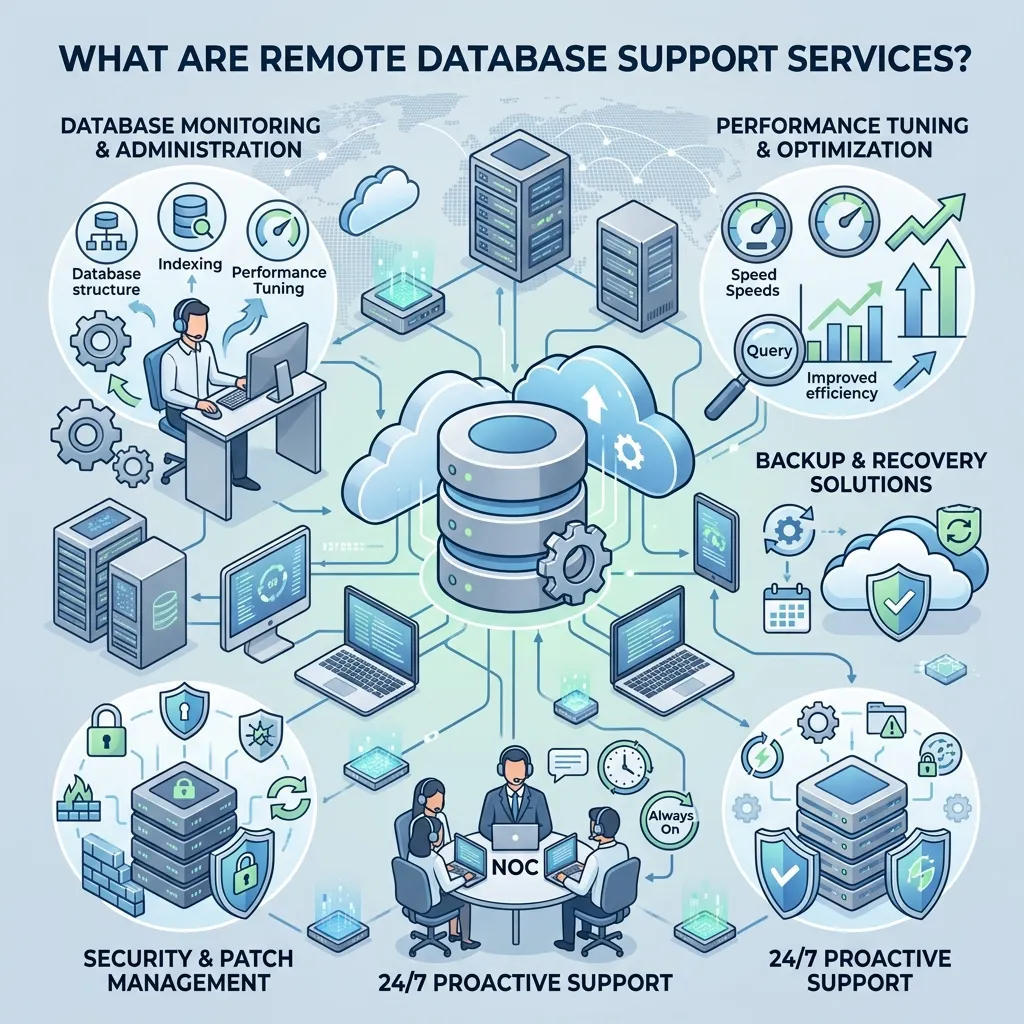
Remote database support services refer to the full spectrum of database administration services delivered by off-site experts. These professionals handle the day-to-day responsibilities of managing your database environment—performance tuning, backups, security, upgrades, and troubleshooting—without the overhead of a full-time, on-site hire.
The scope of these services typically spans multiple database platforms, including SQL Server, Oracle, MySQL, PostgreSQL, and cloud-native databases on AWS, Azure, and Google Cloud.
At the core of every remote DBA services engagement is one goal: keeping your data available, secure, and performing at its best.
What Do Remote Database Management Services Include?
A comprehensive remote database management services package generally covers the following areas:
Database Administration Services
Database administration services form the foundation of any support engagement. These include user account management, schema design, query optimization, patch management, and database configuration. A remote DBA takes ownership of the operational health of your database, so your internal team can focus on higher-value work.
SQL Database Support Services
For organizations running Microsoft SQL Server or other relational databases, SQL database support services address everything from index maintenance and execution plan analysis to deadlock resolution and database mirroring. SQL-specific expertise is critical—poor query design alone can cripple system performance.
Cloud Database Management
As more organizations migrate workloads to the cloud, cloud database management has become a core component of remote support. This includes managing cloud-hosted databases on platforms like Amazon RDS, Azure SQL Database, and Google Cloud SQL. Remote DBAs help configure cloud environments for cost efficiency, scalability, and security compliance.
Database Monitoring Services
Reactive support isn’t enough. Database monitoring services provide continuous, real-time visibility into database health—tracking CPU usage, memory consumption, query response times, disk I/O, and error logs. Proactive monitoring means issues are identified and resolved before they escalate into outages.
Database Performance Optimization
Slow databases cost businesses money. Database performance optimization involves identifying bottlenecks, tuning queries, rebuilding fragmented indexes, and adjusting server configurations to maximize throughput and minimize latency. Performance tuning is often one of the highest-ROI activities a remote DBA can perform.
24/7 Database Support Services
Databases don’t follow a 9-to-5 schedule. Critical failures can happen at any hour. 24/7 database support services ensure that experienced DBAs are available around the clock to respond to incidents, reducing mean time to resolution (MTTR) and minimizing the business impact of downtime.
Database Backup and Recovery Services
Data loss can be catastrophic. Database backup and recovery services establish automated backup schedules, verify backup integrity, and develop tested recovery procedures. A robust disaster recovery plan ensures that, when the unexpected happens, your organization can restore operations quickly and completely.
Why Businesses Are Choosing Managed Database Support
The shift toward managed database support is driven by a combination of economic and operational factors. Here’s why organizations of all sizes are making the switch:
Cost efficiency. Hiring a full-time senior DBA in the United States carries a median annual salary exceeding $100,000, according to the U.S. Bureau of Labor Statistics. Remote database support services provide access to the same caliber of expertise—often with multiple specialists—at a fraction of that cost.
Access to specialized skills. Database environments are growing more complex. A single organization might run SQL Server on-premises alongside MySQL and a cloud-native PostgreSQL instance. Remote DBA services give businesses access to specialists across multiple platforms and technologies, rather than relying on one generalist.
Scalability. As your database environment grows, your level of support can scale with it. Managed database support providers offer tiered service plans, making it easy to expand coverage without renegotiating employment contracts or hiring new staff.
Faster incident response. With 24/7 database support services in place, incidents are addressed the moment they occur. Service-level agreements (SLAs) define response and resolution times, giving businesses a clear performance benchmark to hold providers accountable.
Focus on core business. When internal teams aren’t firefighting database issues, they can dedicate their energy to strategic projects. Offloading database administration services frees up technical resources and reduces operational drag.
Remote DBA Services vs. In-House DBAs: Which Is Right for You?
Both approaches have merit, and the right choice depends on the size, complexity, and budget of your organization.
Choose remote DBA services if:
- You need database expertise but can’t justify a full-time hire
- Your database environment spans multiple platforms or cloud providers
- You require 24/7 database support services without paying for shift rotations
- Your database workloads are variable and don’t demand constant full-time attention
Choose in-house DBAs if:
- Your database is deeply embedded in proprietary systems that require on-site access
- Your organization operates in a highly regulated industry with strict data residency requirements
- You have consistent, high-volume database work that justifies full-time headcount
For many mid-sized businesses, a hybrid model works well—pairing a lean internal team with a managed database support provider for overflow, after-hours coverage, and specialized expertise.
How to Evaluate a Remote Database Support Services Provider
Not all providers offer the same depth of service. When evaluating your options, consider the following criteria:
Platform coverage. Confirm the provider supports the specific database technologies in your environment—SQL Server, Oracle, MySQL, PostgreSQL, MongoDB, or cloud-native databases.
Response time SLAs. Look for clearly defined SLAs for critical incidents. A provider offering 24/7 database support services should guarantee response times of 15–30 minutes for Severity 1 issues.
Proactive vs. reactive support. The best remote database management services providers don’t just fix problems—they prevent them. Ask how the provider conducts database monitoring services, what tools they use, and how they communicate performance insights.
Security and compliance. Your database contains sensitive data. Ensure the provider follows industry-standard security practices and can demonstrate compliance with regulations relevant to your industry, such as HIPAA, GDPR, or SOC 2.
Proven experience. Request case studies or references from clients in similar industries or with similar database environments. Experience matters more than marketing claims when your production database is down at 2 a.m.
Backup and recovery methodology. Ask specifically about the provider’s database backup and recovery services. How frequently are backups taken? How are they tested? What is the guaranteed recovery time objective (RTO)?
Cloud Database Management: A Growing Priority
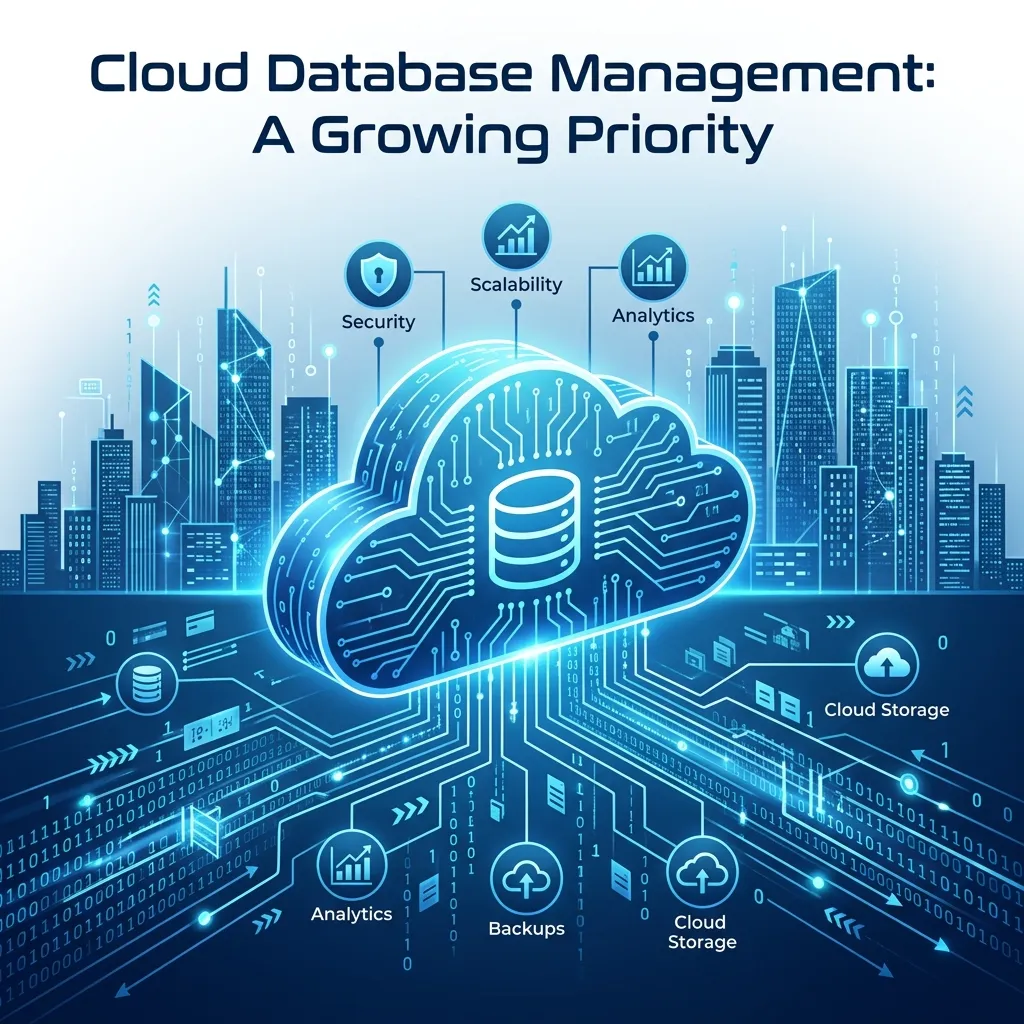
Cloud adoption has fundamentally changed how organizations think about database management. Traditional on-premises databases are giving way to managed cloud services, and with that shift comes a new set of challenges—cost governance, performance optimization across distributed environments, multi-region replication, and cloud-native security configurations.
Remote database support services providers with strong cloud database management capabilities help organizations navigate these complexities. They bring expertise in cloud cost optimization (such as right-sizing RDS instances), automated scaling, and integrating cloud databases with modern data pipelines and analytics platforms.
According to Gartner, by 2025, 85% of organizations will have embraced a cloud-first strategy. For database teams, that means cloud database management skills are no longer optional—they’re essential.
The Role of Database Performance Optimization in Business Outcomes
Poor database performance doesn’t just frustrate users—it directly impacts revenue. Studies from Amazon Web Services have shown that a 100-millisecond improvement in page load time can increase conversion rates by up to 1%. For e-commerce businesses processing thousands of transactions per day, the financial stakes of database latency are significant.
Database performance optimization addresses root causes rather than symptoms. It involves:
- Query analysis: Identifying poorly written SQL queries that consume excessive server resources
- Index optimization: Building, rebuilding, and reorganizing indexes to accelerate data retrieval
- Configuration tuning: Adjusting database engine parameters to match workload characteristics
- Capacity planning: Anticipating future growth and ensuring infrastructure can accommodate it
Regular performance reviews—not just reactive tuning—are the hallmark of a mature managed database support engagement.
Making the Move to Remote Database Support
Transitioning to remote database support services is a straightforward process when managed well. Most providers begin with a discovery and assessment phase, during which they audit your existing database environment, document configurations, and identify immediate risks or performance gaps.
From there, a support plan is established that outlines the scope of services, escalation procedures, and SLAs. Onboarding typically takes one to four weeks, depending on the complexity of the environment.
The earlier an organization engages a provider, the more value they extract. Starting with database monitoring services and a performance baseline allows the remote DBA team to understand your environment thoroughly—so when incidents arise, they resolve them faster.
Frequently Asked Questions
What is the difference between remote DBA services and managed database support?
Remote DBA services refer specifically to the work performed by off-site database administrators, including administration, tuning, and troubleshooting. Managed database support is a broader term that encompasses remote DBA services plus monitoring, backup and recovery, and strategic advisory services—typically delivered under a formal service agreement.
How much do remote database support services cost?
Pricing varies based on the number of database instances, required response times, and service scope. Entry-level plans for small environments typically start at $500–$1,500 per month, while enterprise-grade 24/7 database support services with multiple database instances can range from $3,000 to $10,000+ per month.
Are remote database support services secure?
Reputable providers implement strict access controls, encrypted connections, VPN or private network access, and detailed audit logs. Always confirm that a provider is compliant with any industry-specific regulations applicable to your organization.
Can remote DBA services support cloud databases?
Yes. Many remote database management services providers specialize in cloud database management across AWS, Azure, and Google Cloud platforms, in addition to on-premises environments.
What happens during a database outage with a remote support provider?
Providers with 24/7 database support services maintain on-call DBAs who respond immediately to critical alerts. The response process typically involves incident triage, root cause identification, remediation, and a post-incident report detailing what happened and how to prevent recurrence.
Do remote database support services include database backup and recovery?
Most comprehensive plans include database backup and recovery services as a core component. This covers backup scheduling, off-site storage, integrity verification, and disaster recovery planning.
What are Remote Database Support Services?
Remote Database Support Services provide off-site database administration, monitoring, maintenance, and troubleshooting by experienced database professionals.
What databases can remote DBA services support?
Most providers support SQL Server, MySQL, PostgreSQL, Oracle, MongoDB, and cloud databases on AWS, Azure, and Google Cloud.
What services are included in Remote Database Support Services?
Services typically include database monitoring, performance tuning, security management, backups, disaster recovery, patching, and troubleshooting.
Are Remote Database Support Services available 24/7?
Yes. Many providers offer 24/7 monitoring and emergency support to minimize downtime and quickly resolve critical database issues.
How do remote database support services improve performance?
They optimize SQL queries, rebuild indexes, monitor resource usage, and fine-tune database configurations for better speed and efficiency.
Are Remote Database Support Services secure?
Yes. Reputable providers use encrypted connections, secure remote access, access controls, and industry-standard security practices to protect your data.
Can remote DBAs manage cloud databases?
Yes. Remote database experts can manage cloud databases hosted on AWS, Microsoft Azure, Google Cloud, and other cloud platforms.
Why should businesses outsource database support?
Outsourcing reduces costs, provides access to experienced DBAs, improves uptime, and eliminates the need to hire a full-time in-house database team.
Do Remote Database Support Services include backup and recovery?
Yes. Most providers offer automated backups, disaster recovery planning, backup verification, and rapid data restoration services.
How do I choose the right Remote Database Support Services provider?
Look for providers with experience, strong SLAs, 24/7 support, multi-platform expertise, security certifications, and positive client references.